The Town of White City is committed to transparency, accessibility, and keeping residents connected and informed. As part of this commitment, we are transitioning to a new and improved platform for livestreaming Council and Committee Meetings.
Residents will now be able to watch meetings virtually using Microsoft Teams. The livestream link can be found with each meeting's agenda on the Town’s CivicWeb Portal. Whether you’re at home, at work, or on the go, staying informed has never been easier.
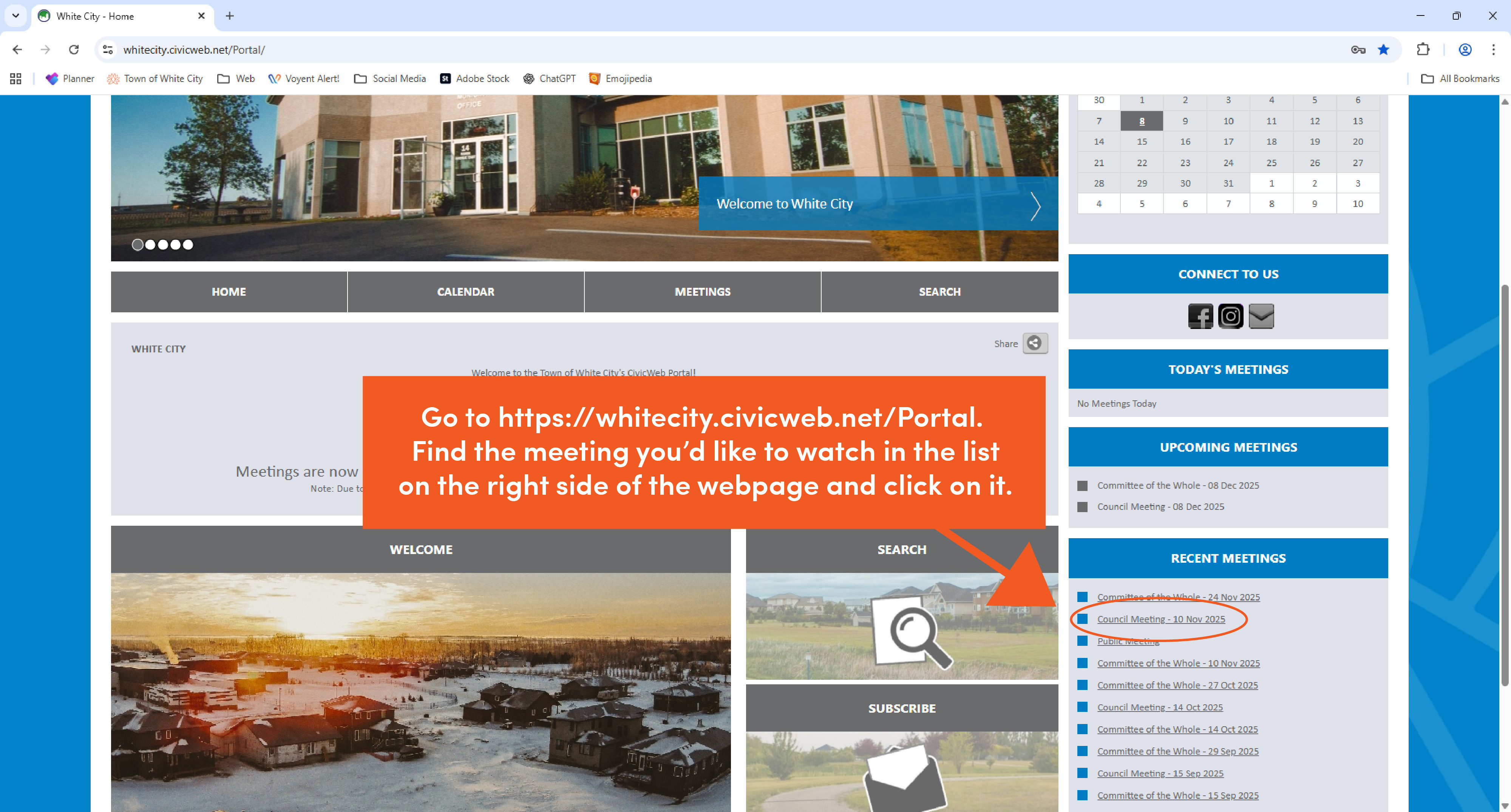
Access livestreams here: https://whitecity.civicweb.net/Portal/
If you need assistance navigating the new system, follow the step-by-step guidance below to get started.
How to Watch Meeting Livestreams
First, click on the specific Council or Committee Meeting you want to watch in the list on the right side of the webpage.
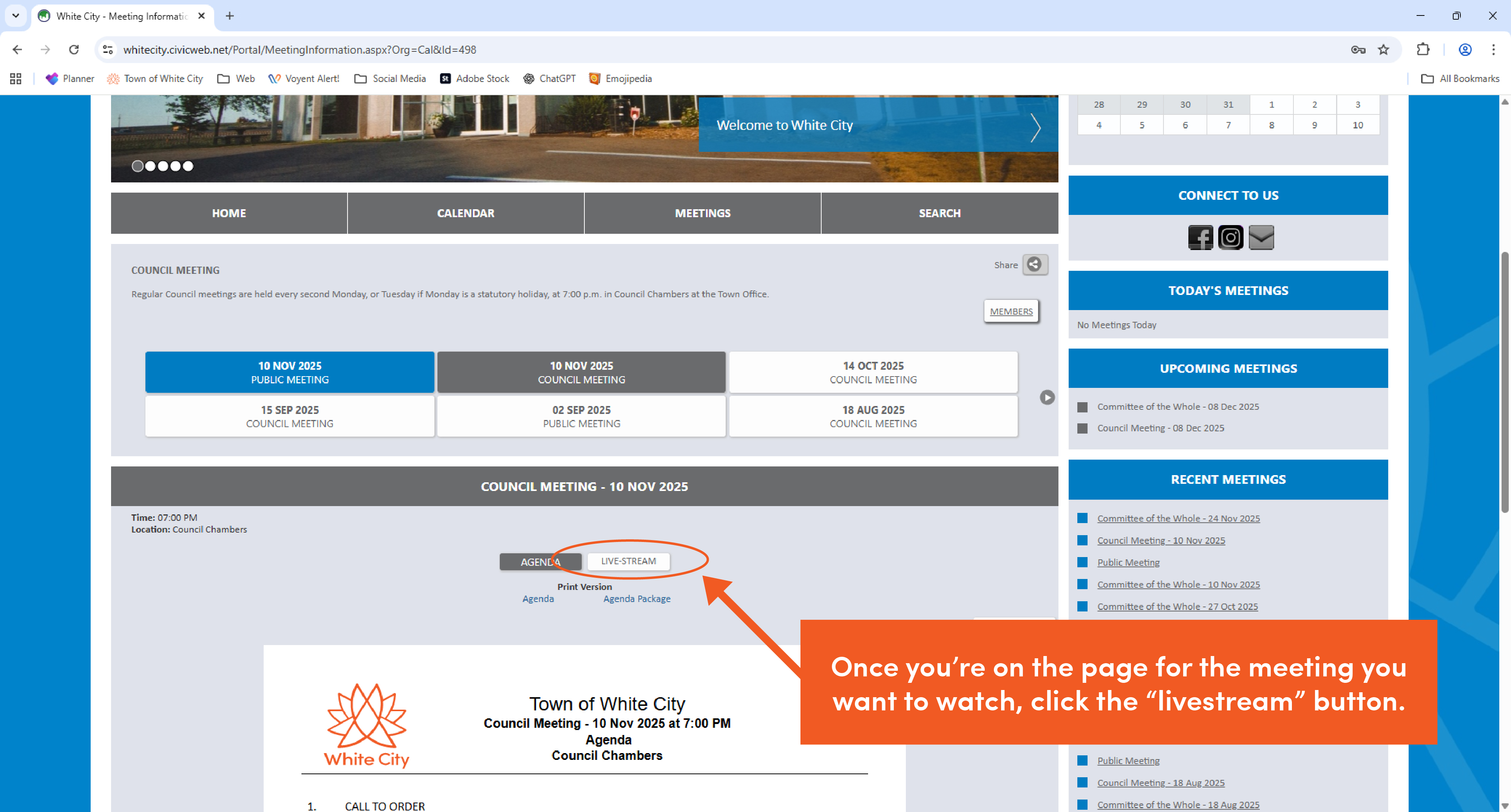
Click on the "Livestream" button.
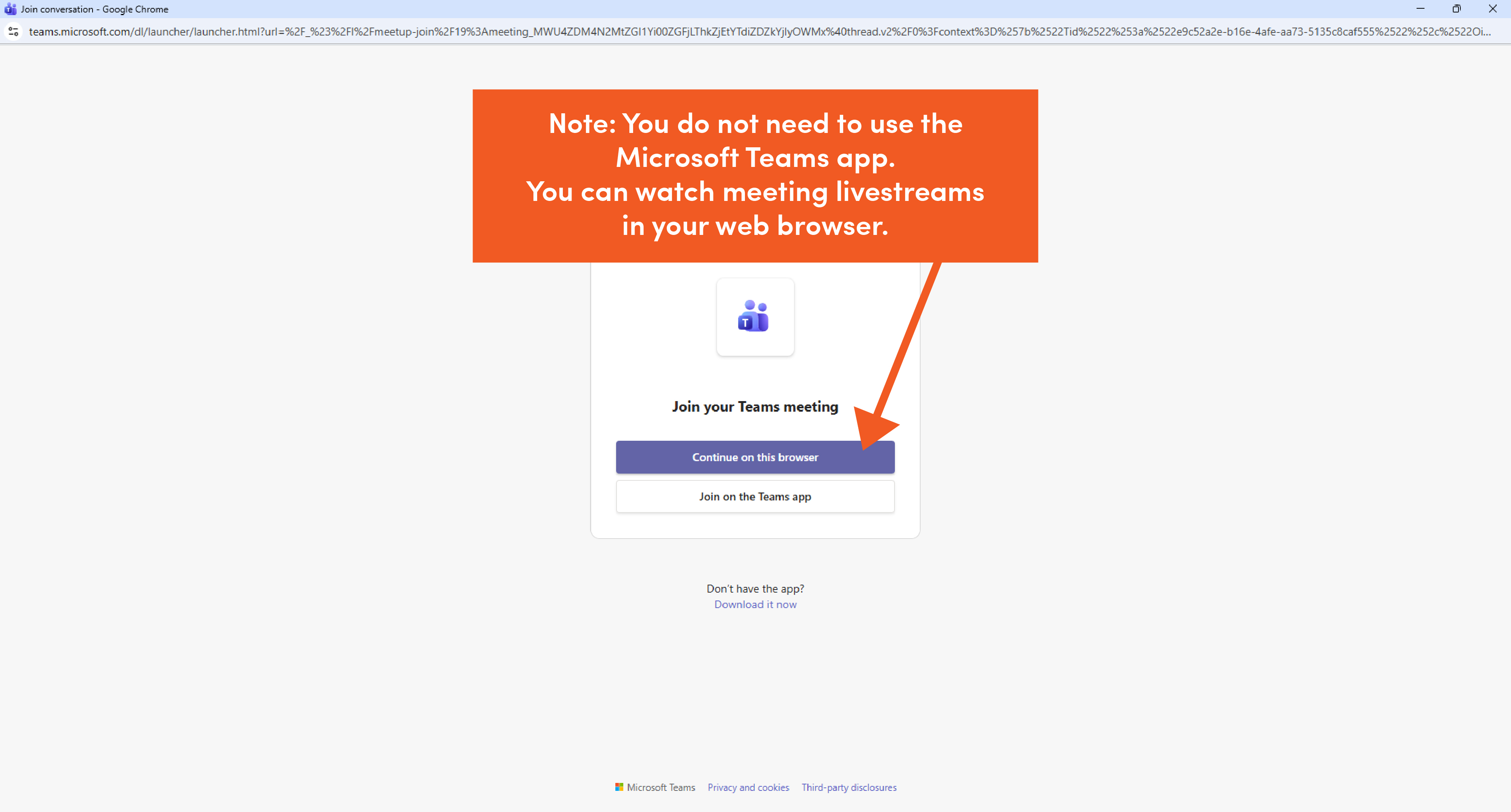
You can watch the livestream in your web browser or using the Microsoft Teams app.
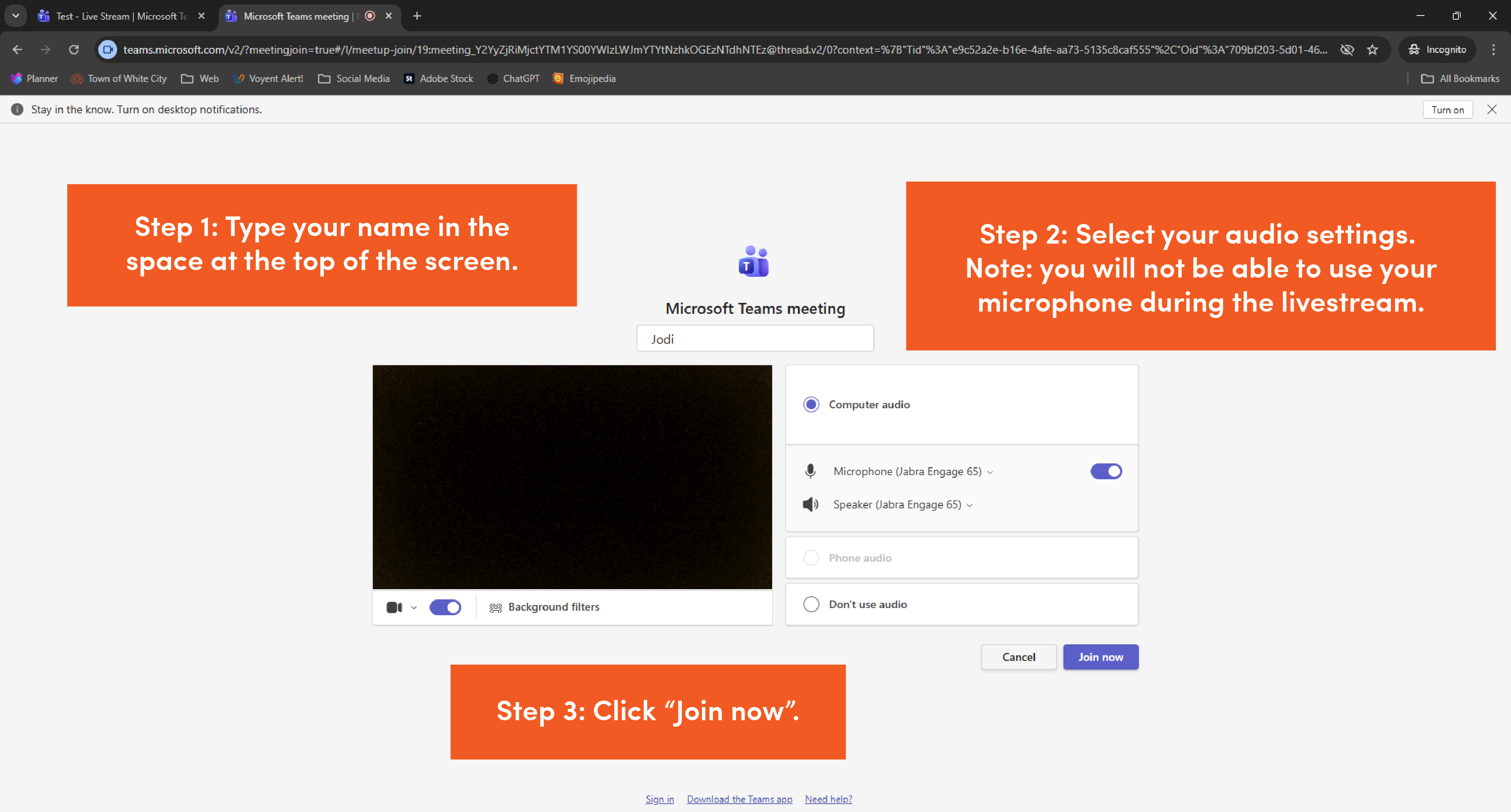
Type your name into the empty space at the top of the page.
Select your audio settings to make sure you can hear the meeting using your computer speakers or headphones. Please note, viewers cannot use their camera or microphone during the livestream.
When you're ready, click "Join now".
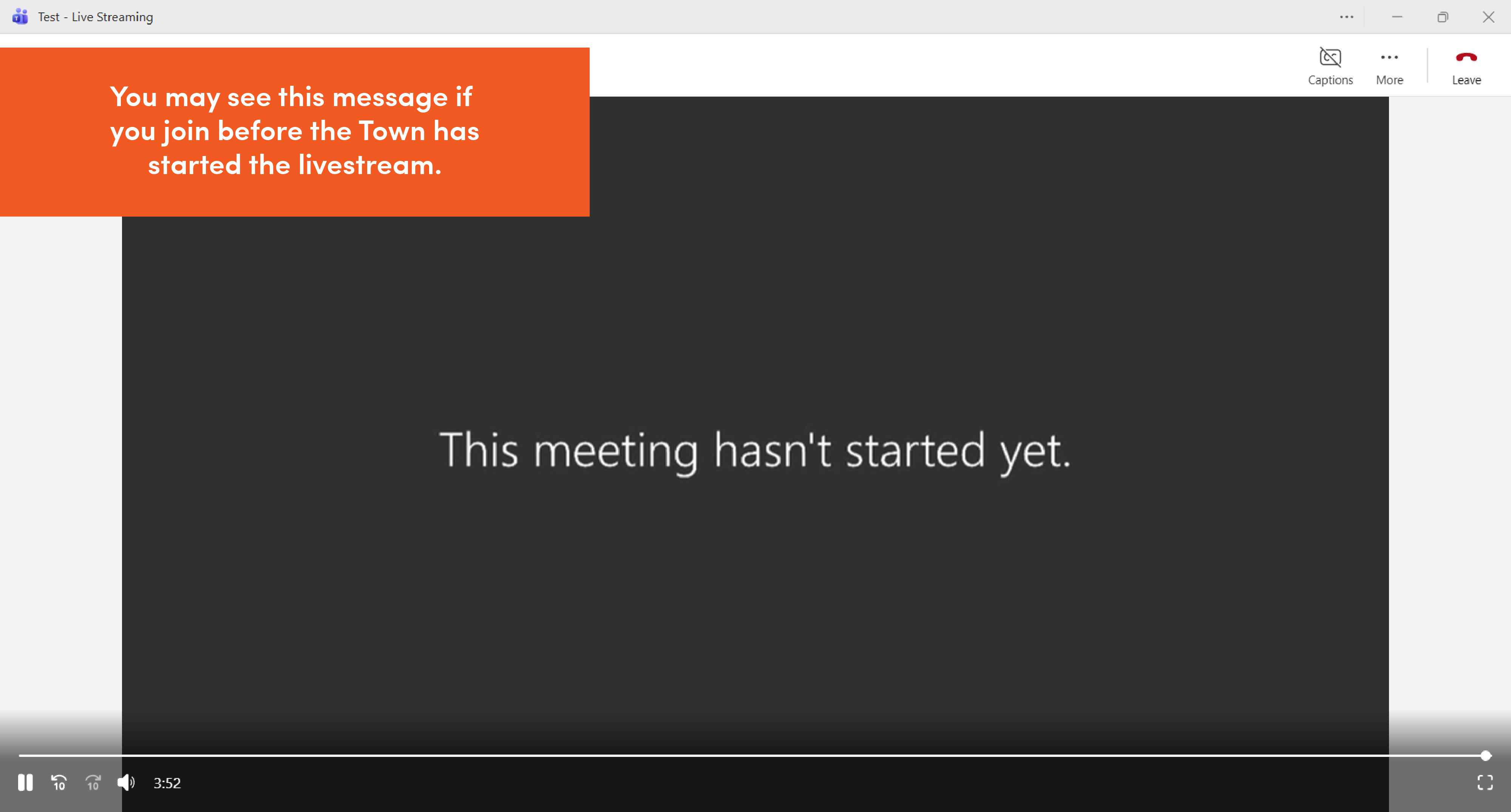
If the Town hasn't begun the livestream yet, you may see a message letting you know the meeting hasn't started yet.
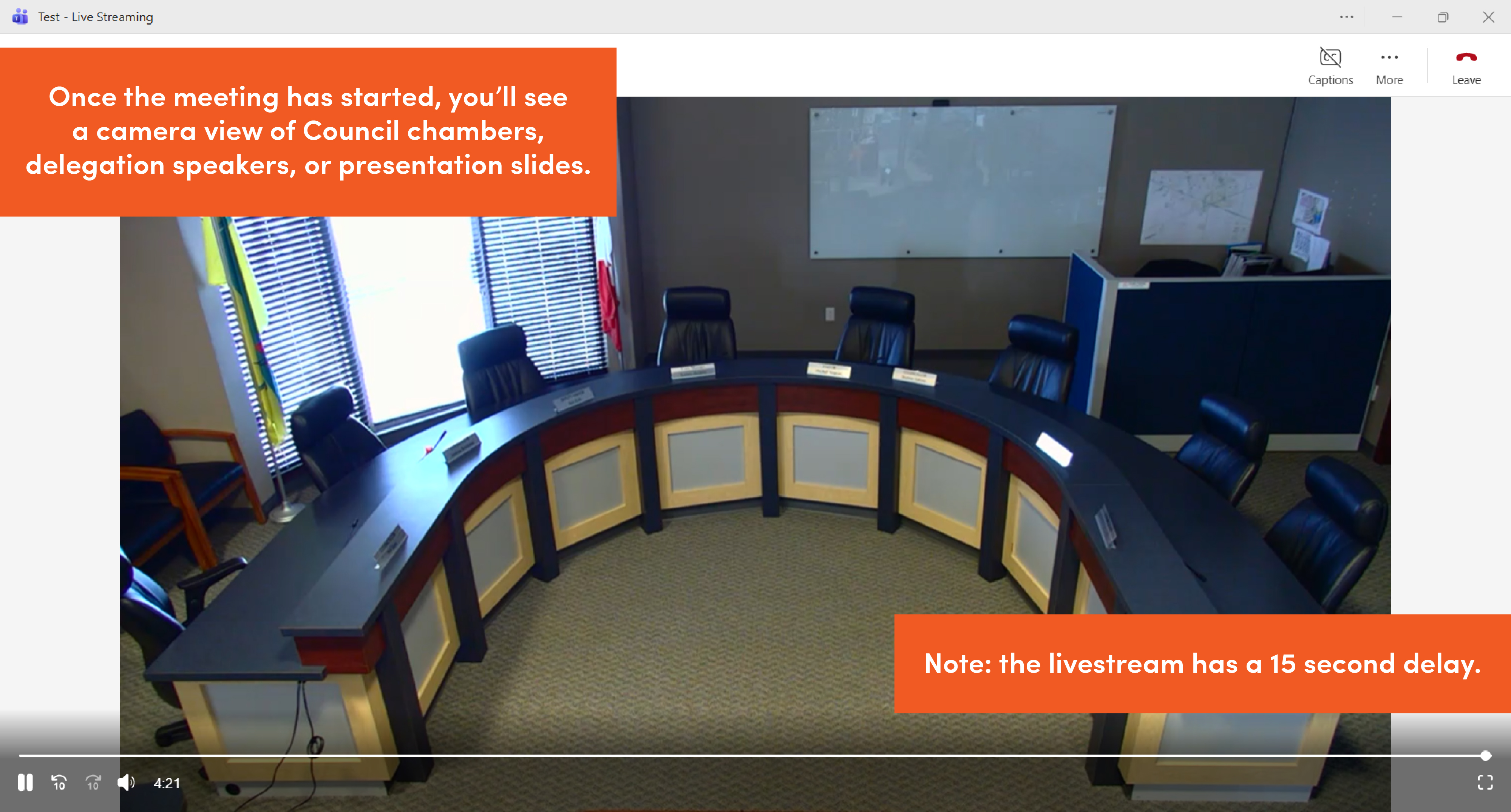
Once the meeting has started, you'll see and hear members of Council in Council Chambers. Please note, the livestream has a 15 second delay.
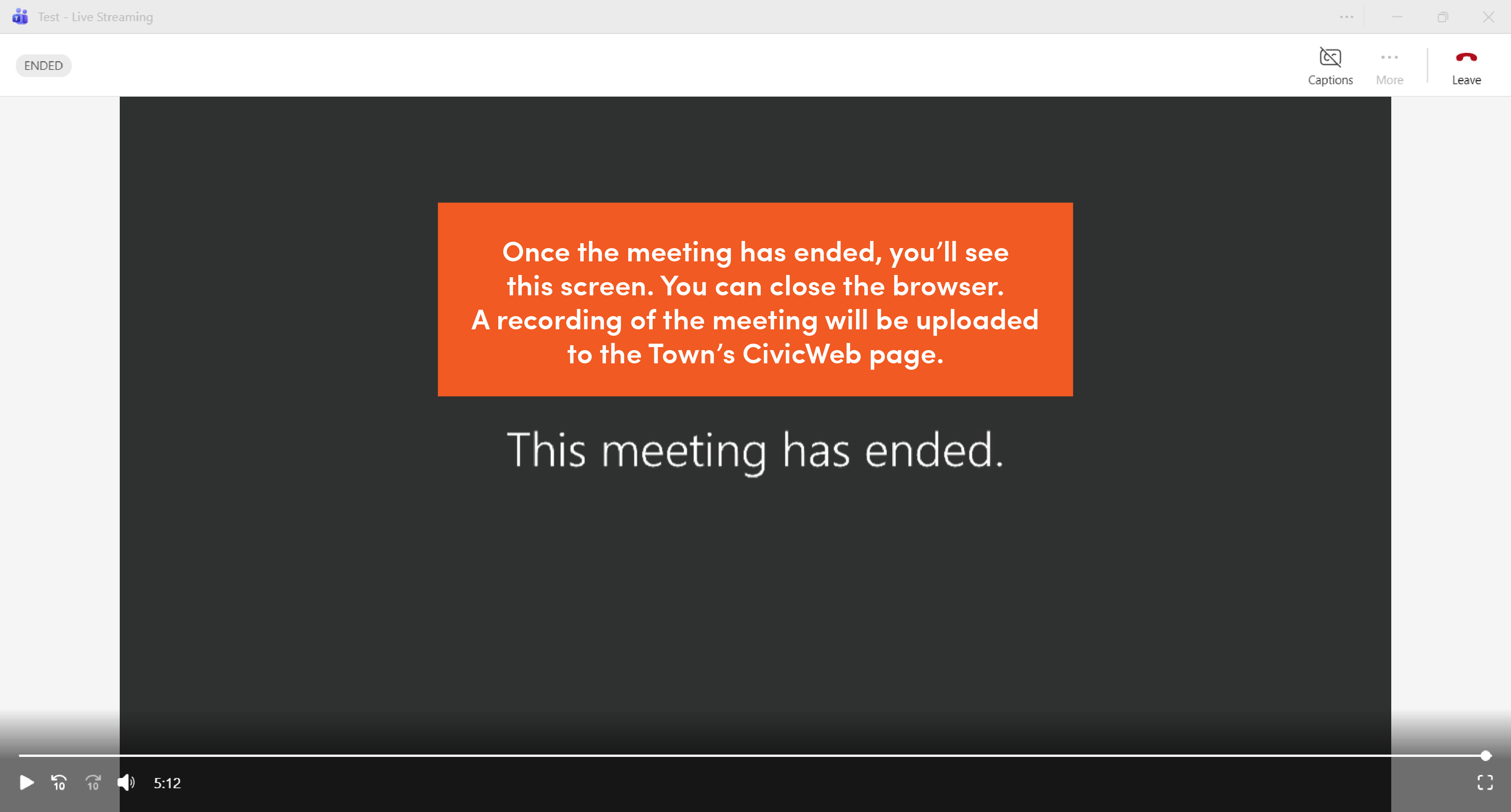
Once the meeting is over, you'll see a message saying the livestream has ended. You can close your browser.
A recording of the meeting will be uploaded to the Town's CivicWeb page.